Server slicing
Turn STL and unsliced 3MF models into print files with your own presets. Paid plans only, 300 plates a month on Farm and 1,500 on Workshop.
Server slicing turns your models into print files without opening a slicer. You choose models and copies; Rackrew arranges them on as many plates as they need and slices each plate with your own presets.
What your plan includes
| Plan | Sliced plates per calendar month |
|---|---|
| Free | None |
| Farm | 300 |
| Workshop | 1,500 |
On Free you can still store models and presets, but slicing is refused with a message to slice in your own slicer and upload the plate. The count starts again on the 1st. The limit is checked when a job starts, so the last job of a month can go over it. One job takes up to 500 copies.
Import your presets
Slicing needs one printer, one process and one filament preset from the same slicer.
- Go to Files → Slicer presets and click Import presets.
- Under Slicer, choose Bambu Studio, Anycubic Slicer Next or OrcaSlicer.
- In that slicer, use File → Export → Export Preset Bundle to export the printer, filament and process presets as
.zip, one after the other. - Click Choose .zip or .json and select them. Or click Choose the folder and pick the folder the slicer keeps them in. The dialog shows its path.
- Click Import.
Importing a preset again after changing it replaces the one with the same name. The message afterwards says how many were added, updated or unchanged, and names any file that wasn't a preset.
Only the presets you made yourself are needed. If one of yours is based on a slicer's built-in preset, Rackrew already has the built-in one. Saved by shows which slicer version wrote each preset.
Prepare your models
Upload them under Files → Models. See Files. Two settings on each model control how it goes on the plate:
- On the plate: Exactly as saved, or Slicer picks the face to let the slicer lay the part on another side. A 3MF always prints As laid out in the slicer.
- Spin to fit: tick allowed to let copies turn on the plate so more fit. This doesn't change the layer direction. If one model in a job has it off, nothing in that job spins.
Make plates
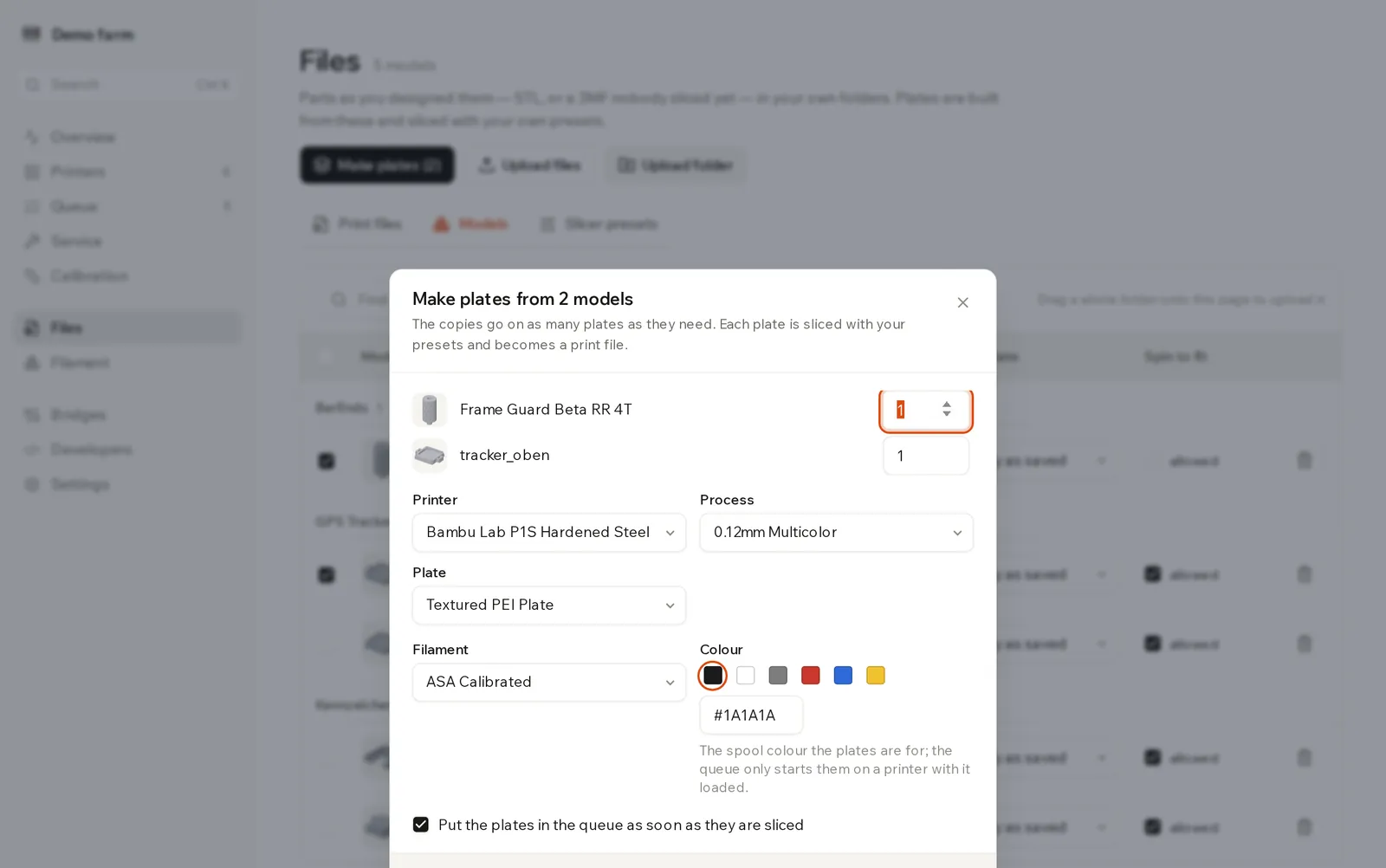
- Tick the models and click Make plates.
- Enter the copies per model. Zero leaves a model out.
- If you've imported presets from more than one slicer, choose the Slicer.
- Choose the Printer, Process and Plate.
- Choose a Filament preset and Colour.
- Leave Put the plates in the queue as soon as they are sliced ticked if you want them printed straight away. Each plate is queued once.
- Click Slice N copies. The button shows the total.
The dialog remembers your choices in this browser.
Slice in several colours
A multi-colour 3MF asks for a filament and colour per slot it was designed with, shown as Filament 1, Colour 1 and so on. The colours start as the ones the file was saved in. If you select several models, the one with the most colours sets the number of slots. An STL has one slot.
Pick the colour of the spool you'll load. A plate only starts on a printer with that colour loaded, and the match is exact. See Filament.
Follow a job
A Slicing panel at the top of the Models tab shows the five most recent jobs.
| Status | What it means |
|---|---|
| Waiting | In line for the slicer. |
| Slicing | Running. Plates appear as they finish. |
| Sliced | Done, with the number of plates. |
| Failed | The reason is on the row. |
Click the plate pictures to open Print files. Each plate is an ordinary print file, named after what's on it, and the Queue treats it like any other. A plate for a Bambu Lab printer is a sliced .3mf. Any other printer gets .gcode.
Why slicing failed
| Message | What to do |
|---|---|
Does not fit on the build plate: ... | The part is too big for that printer. Lay it another way, or use a bigger machine. |
The slicer has no ... profile ... is the preset from a newer version? | Your preset is based on one the server's slicer doesn't have. Check the version under Saved by. |
The slicer gave up on this job three times. | A failing job is retried, then given up. Check the model and presets. |
Other messages when you start a job:
The presets have to come from the same slicer.This month's ... sliced plates are used up. It starts again on the 1st.