Files
Upload sliced .3mf and G-code files, keep unsliced STL and 3MF models in your own folders, and import presets from three slicers.
Files holds what your farm prints, at three stages: sliced print files, the unsliced models they're made from, and the slicer presets that turn one into the other. Each stage has its own tab.
Print files
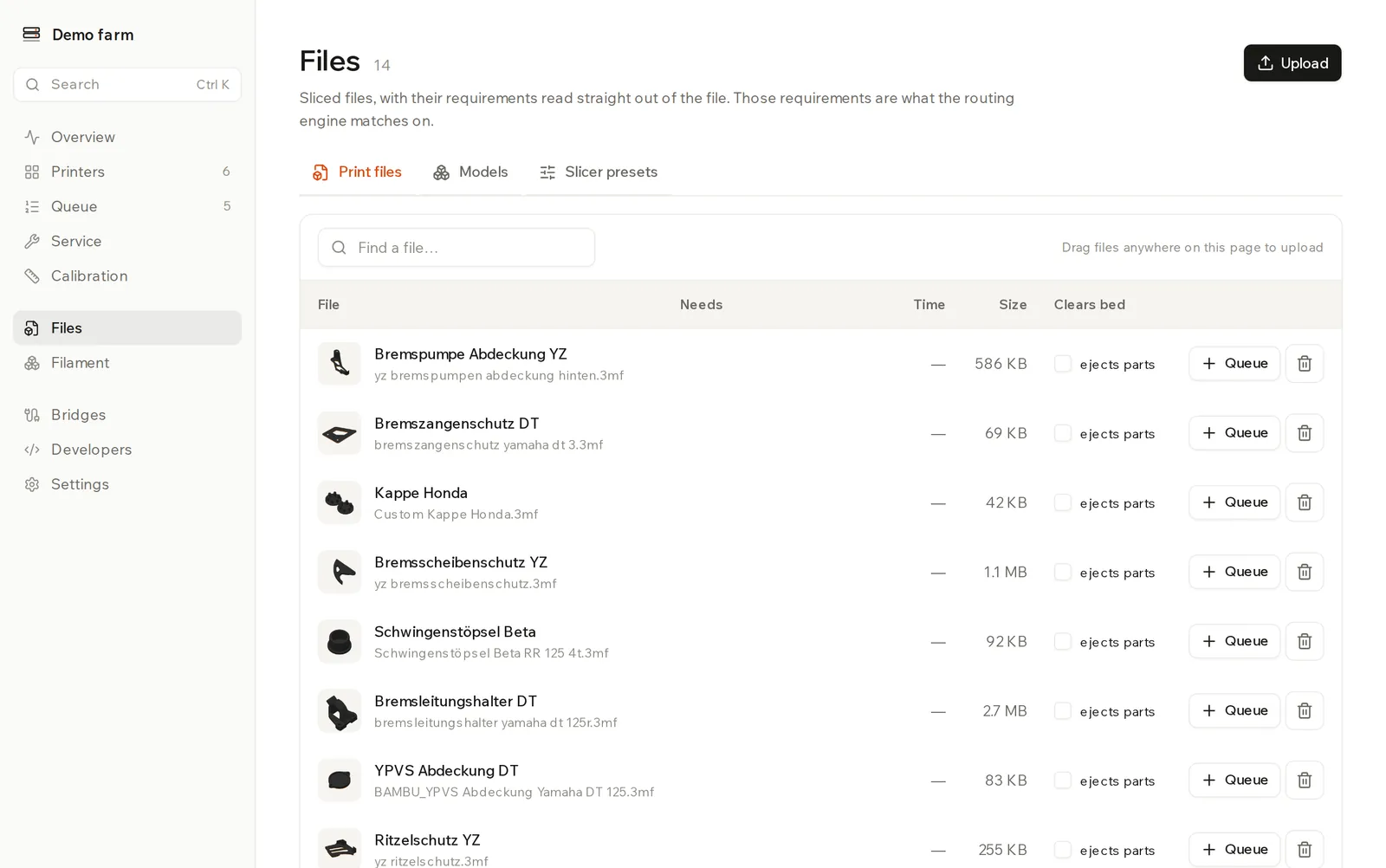
These are the files printers actually run. Routing matches on what each one needs.
Upload a file. Click Upload, or drag files anywhere on the page. Rackrew accepts .3mf, .gcode, .gco and .g.
Check what it needs. Printer model, nozzle, colours and grams are read out of the file, so there's nothing to type. They appear under Needs, with the print time under Time.
Queue it. Click Queue, set How many, and click Queue it. To use fillers or tags, add it from the Queue page instead.
Let a file restart on its own. Tick ejects parts under Clears bed only if the print clears its own bed. The next job then starts without a person, as long as the printer also has Start the next job automatically when one finishes on. Otherwise the printer waits for Bed cleared after each print.
Delete a file. Click Delete file. The stored file is removed for good and queue entries using it go too. Finished prints keep their history.
Test Benchies
When your account first has a Bambu printer of a given model, test Benchies for that model appear here, one per common filament. They run on any colour. If you delete one, it doesn't come back.
Storage
Your plan limits storage by size, across print files and models together. Uploading the same print file twice stores it once and returns the file you already have. Deleting a file frees its space. Your usage is under Settings → Plan.
If a file doesn't fit, the upload is refused and the message shows the file's size, your limit and what you've used.
Models
Models are parts as you designed them: STL files, or 3MF files nobody has sliced yet. They're never sent to a printer directly.
Upload your library. Click Upload folder, or drag the folder onto the page. Rackrew asks whether the folder is your whole library (As my library) or one folder inside it. Your subfolders stay as they are.
Update it. Upload the folder again. Only files that changed are replaced.
Upload loose files. Click Upload files.
An already sliced 3MF is refused here. Upload it under Print files.
Tick models and click Make plates to slice them on our servers. Paid plans only. See server slicing.
Slicer presets
These are the printer, process and filament presets you made in Bambu Studio, Anycubic Slicer Next or OrcaSlicer. Click Import presets to add them. Plates are sliced with exactly these settings. Server slicing has the import steps.