Filament
Register spools at their net weight. Each completed print subtracts its file's grams, and a job is skipped if the loaded spool can't finish it.
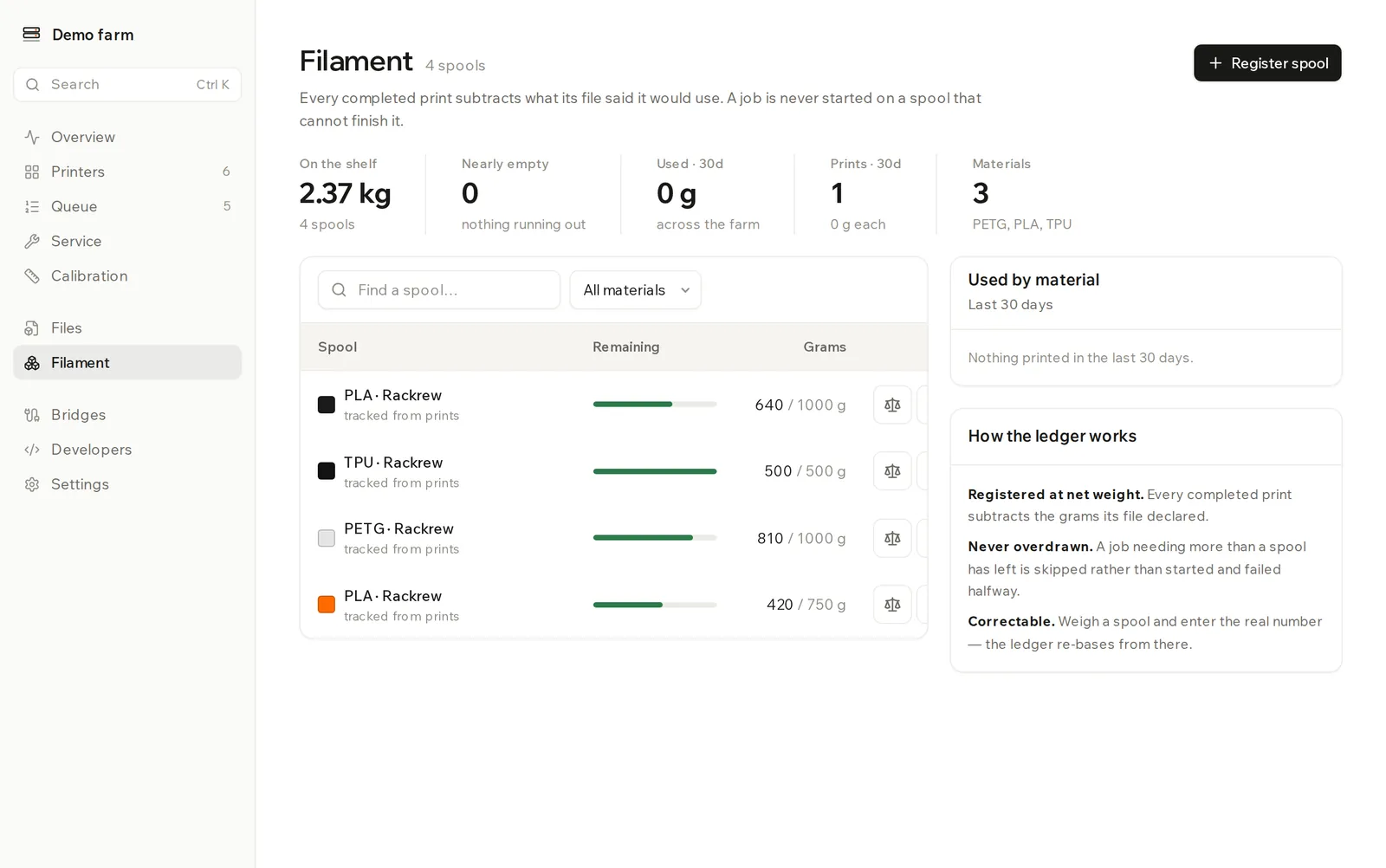
Filament is your spool inventory, tracked as a ledger. No printer reports how many grams are left, so Rackrew works it out: you register a spool, and each completed print subtracts what its file said it would use.
Register a spool
- Click Register spool.
- Choose the Material and enter the Brand if you want it.
- Set the Colour. It's matched against the colour in the sliced file.
- Enter Net grams: the filament only, without the reel. For a used spool, enter what's on it now.
- Click Register.
The material list has PLA, PETG, ABS, ASA, TPU, PA and PC.
Put a spool in a printer
Registering a spool doesn't load it. Open the printer on the Printers page, go to Filament slots, and choose the spool for that slot.
This matters for three reasons:
- A spool you assign overrides whatever the printer reports for that slot.
- Grams are only checked on slots with an assigned spool. A slot with only a printer-reported filament is matched by material and colour, with no weight check.
- Grams are only subtracted from an assigned spool.
Why a job skips a spool
A job only matches a slot if the material is the same and the colour is the same hex value. #1A1A1A and #1B1B1B don't match. A file with no recorded colour matches any spool of the right material.
If the spool has fewer grams left than the job needs, that printer is skipped and the job waits. The reason appears on the Queue page as not enough PLA #1A1A1A loaded.
Read the numbers
| Label | What it shows |
|---|---|
| On the shelf | Grams left across all spools |
| Nearly empty | Spools under 120 g |
| Used · 30d | Grams used across the farm in the last 30 days |
| Prints · 30d | Completed prints in the last 30 days, with the average grams each |
| Materials | How many different materials you have |
A spool shows a low badge under 120 g and an empty badge under 20 g. Used by material breaks down the last 30 days.
The line under each spool says where its number comes from: tracked from prints, or corrected by hand once you've weighed it.
Correct a spool from a scale
The ledger drifts. Only completed prints subtract grams, so a failed or cancelled print uses filament the ledger doesn't count.
- Weigh the spool and subtract the empty reel's weight.
- Click Correct from a scale on the row.
- Enter the result under Weighed filament remaining (g) and click Correct.
If your number is over 100 g away from the ledger, the dialog asks you to check you weighed the filament only. The ledger carries on from the number you enter.
Find a spool
Use Find a spool… to search by material or brand. Once you have more than one material, All materials filters the list.
Remove a spool
Click Remove spool. Any slot holding it becomes empty, and jobs needing that colour stop matching until another spool is loaded.
Get told when a spool runs low
The filament.low webhook fires after a print if the spool is under 50 g, or if it couldn't survive another print of the same size. See the API reference. To print in several colours from models, see server slicing.